

WHAT’S NEW
An overview of the OM3, what is it and who is it for?
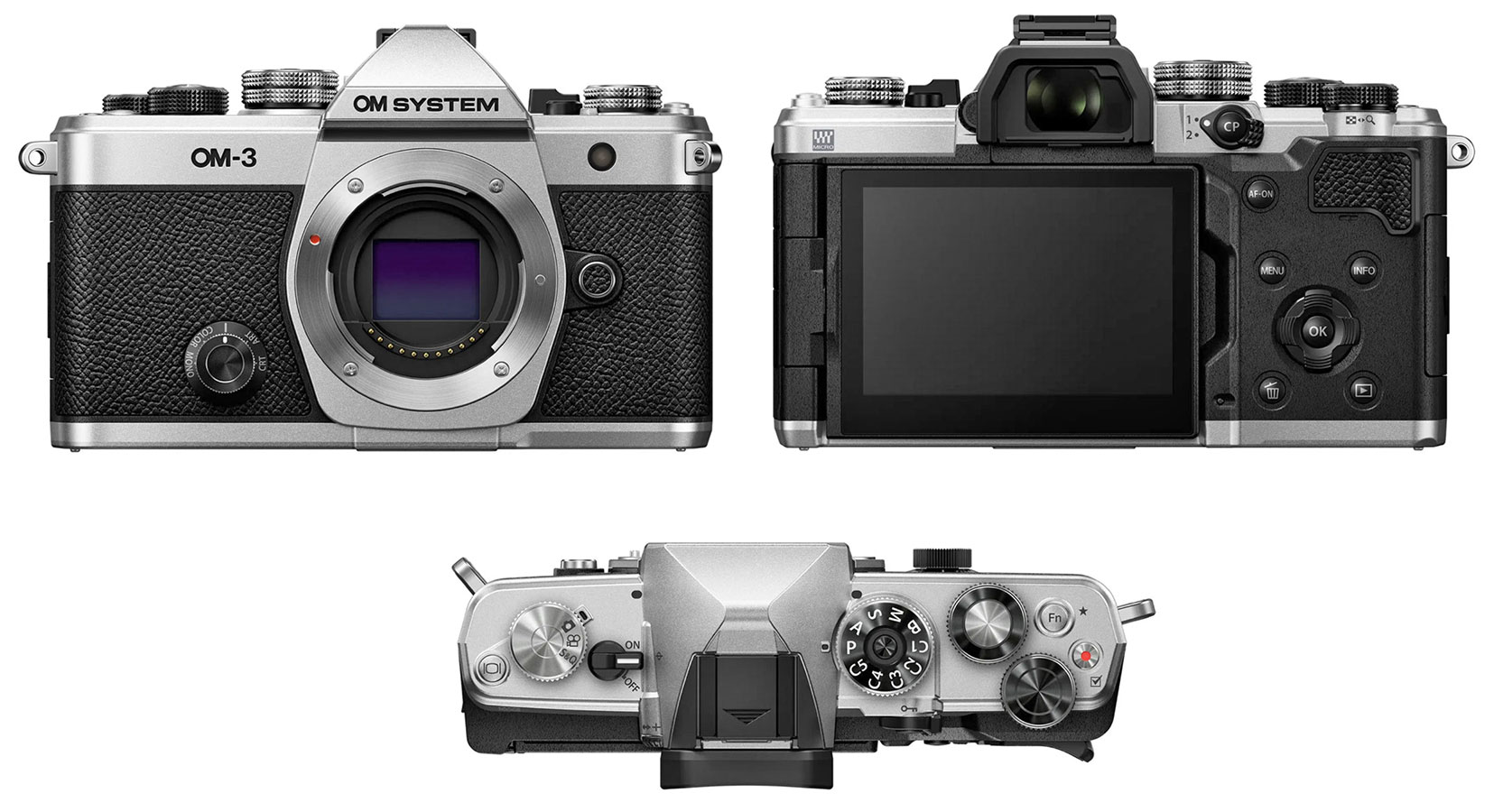
WHAT IS THE OM3 AND IS IT AN OM1-MKII?
If you are reading this chances are you have the OM3 and purchased this guide (Thank You) because of it, so I need not make this about what a great camera this is, you already know that. But what is it and who is it aimed at?
It has stirred plenty of debate, as every new camera does. It has lovers who like the style, and haters who hate some of the missing features. It is in essence an OM1-MKII in a retro styled body, I am not going to say smaller body because it is not, it is actually slightly wider by around 5mm, the lack of a front grip does make it feel less ‘chunky’ and therefore more compact. Feature wise it does have everything the OM1-MKII has including all of the computational modes, capture speeds and subject detection for wildlife.
There are differences though:
COMPARISON
A summary of some of the main differences.
| OM1-MKII | OM-3 | |
|---|---|---|
| Sensor | 20.4 Stacked BSI CMOS | 20.4 Stacked BSI CMOS |
| Processor | TruePic X Dual Quad Core | TruePic X Dual Quad Core |
| EVF | 5.76 M Dot OLED | 2.36 M Dot OLED |
| AF | 1053 Cross Type Phase Detect | 1053 Cross Type Phase Detect |
| A. I Detect | Motorsports, Planes, Trains, Birds, Animals, Humans | Motorsports, Planes, Trains, Birds, Animals, Humans |
| Frames Per Second | 12.5fps, 16.7fps, 25fps, 50fps C-AF / 120fps S-AF / 120fps Pro Capture 99 frames.
Mechanical Shutter 10 fps. |
12.5fps, 16.7fps, 25fps, 50fps C-AF / 120fps S-AF / 120fps Pro Capture 99 frames
Mechanical Shutter 6 fps |
| ISO | 200 (80 Expanded) – 102,400 | 200 (80 Expanded) – 102,400 |
| Weather Sealing | IP53 | IP53 |
| High Res Mode | 80MP (Tripod) 50MP (Hand-Held) 5s Processing-12 or 14Bit | 80MP (Tripod) 50MP (Hand-Held) 5s Processing-12Bit or 14Bit |
| Live ND | 7 Stops ND128 | 6 Stops ND64 |
| Modes | High Res, Live ND, Live Time, Focus Stacking, Live Composite, HDR-All Hand Held | High Res, Live ND, Live Time, Focus Stacking, Live Composite, HDR-All Hand Held. Quick Computational Photography (CP) Button. Creative Mode Dial. |
| Live GND | 1-3 Stops, Soft, Medium or Hard | 1-3 Stops, Soft, Medium or Hard |
| Custom Modes | 4 | 5 (+Video CMs). CM Renaming. |
| Stabilisation | 8.5 stops | 6.5 stops |
| Video | 4K, C4K/60p, Full HD 240fps, H.265 (10bit), H.264 (8bit), RAW to 12 bit,HLG (Hybrid Log Gamma) mode, Vertical Video. | Same, also Flat, Cine1, Cine2, OM-Log400 and HLG profiles in the Picture Mode menu. Slow and Quick Modes. |
| Rear Screen | 3-inch, 1.620K dot, 270-degree vari-angle touch screen | 3-inch, 1.620K dot, 270-degree vari-angle touch screen |
| Card Slots | Dual UHS-II | Single UHS-II |
| Customisable Buttons | 6* | 4* Inc CP and AF-ON |
| Buffer | 200 Images | 100 Images |
We can see from a comparison of the specifications it is almost the same with a few notable differences; stabilisation is lower at 6.5 stops (which is still enough), and Live ND is limited to 6 stops instead of 7 on the OM1. More emphasis is given to video modes with new profiles added and new Slow and Quick modes added, plus the ability to save Custom Modes for video too which is new. I am not a video creator and I will never use them all but it sure will be good to be able to create a couple of profiles for quick use. Custom Modes can now also be renamed which I hope OMS bring to the OM1-MKII.
The Buffer, or the internal memory used to store captured images and write them to the memory card has reduced from approx 200 to 100, which also explains why the number of pre-capture frames for Pro-capture has reduced from 99 to 70. I do not consider this a big deal, it is the same as the OM1 and is still very capable. Remember this is a do-all camera, and it is much better to still have the features albeit slightly reduced than not have them.
PHYSICAL DIFFERENCES
Other than the actual shape and styling of the OM3 where differences are obvious, the main differences are actually physical. The two elephants in the room are just one card slot (which doesn’t actually bother me) and the lower resolution EVF. At half the resolution of the OM1-MKII this is a big difference, and perhaps one that will not trouble you. Why I do not know, perhaps it is one way OM System wanted to protect the Flagship OM1-MKII.
Controls are where the real differences are. The top dials are different, we now have 5 Custom Modes because the Video selector has moved to a dedicated dial which now gives access to Slow and Quick modes too. We have actually lost some buttons, the ISO button is gone as are the two buttons on the front of the body, which means having to think about customisation. Instead we now have a dedicated CP (Computational Photography) button which repurposes the old AEL button, and a new Creative Mode dial on the front for quick access to creative modes such as colour and black and white, a reintroduction of feature from the Pen-F.
The top buttons of the OM1-MKII giving access to drive modes and AF have been replaced with the dedicated Video dial. This is honestly no loss because I never used it, I always customise settings so that I have access to everything on the right. The joystick has been removed which is a shame, however we can work around it.
* There are 5 customisable buttons on the OM3, two of which include the CP (Computational) button and the AF-ON button, both of which are best served as they are so we actually only have 3 buttons, including the Monitor button which is on the far left. The 6 shown on the OM1-MKII do include the AF-ON and ISO buttons; AF-ON and ISO again are best as default in most cases, though we still have at worst 2 buttons on the OM3 compared to 4 on the OM1-MKII. That is quite a difference and does mean thinking carefully about how to set up the buttons. What we cannot do is set it like-for-like, however it was never intended to be a like-for-like camera. See the Buttons and Custom Modes sections for my suggestions how to best utilise these.
WHO IS IT FOR?
Now we know the differences and similarities we can start to consider who this is for. It is an OM1-MKII internally but it is not on OM1-MKII. It is not intended to replace it, nor to take away the flagship status. Clues are given by OM System marketing which are promoting the OM3 as a ‘do everything’ with no compromises camera sitting between the OM5 and OM1. Further clues are given by the release of updated primes with new weather sealing to match the OM3 which is absolutely no coincidence.
The fact that it is a ‘do everything’ camera means it is aimed squarely at photographers who want to dabble with a bit of everything, street or candid travel shots experimenting with colour profiles (which could then be applied to raws later), landscapers, portrait, wildlife shooters, in fact anything. Yes it is not as ergonomically comfortable with long lenses for wildlife but it is not a dedicated camera for any genre; the whole ethos is that you can if you want to, rather than being restricted by internal features.
The styling is a big clue too. This camera appeals to those of us who used to use SLR cameras back in the day with the styling harking back to the original OM3, and to younger photographers who appreciate the retro appearance. It is simple and classic in design and understated, belying what it is actually capable of. The lack of any substantial grip on the front right is obviously to maintain the classic design cues, and means it is more suited to smaller primes and zooms like the 12-40, but it can still be used with any lens when needed.
What I absolutely love about the OM3 is that it signals it is not obsessed with wildlife. The EM1 / OM1 lines are more than capable for just about anything and yet the marketing has always been aimed at outdoor nature, all the features for landscapes and creativity don’t even get a look-in. Perhaps this is a paradigm shift.
Consider this, if you want to go for a wander and shoot in a public space without drawing too much attention, knowing you have the same features in the OM3 and the OM1-MKII, which camera would you rather take?
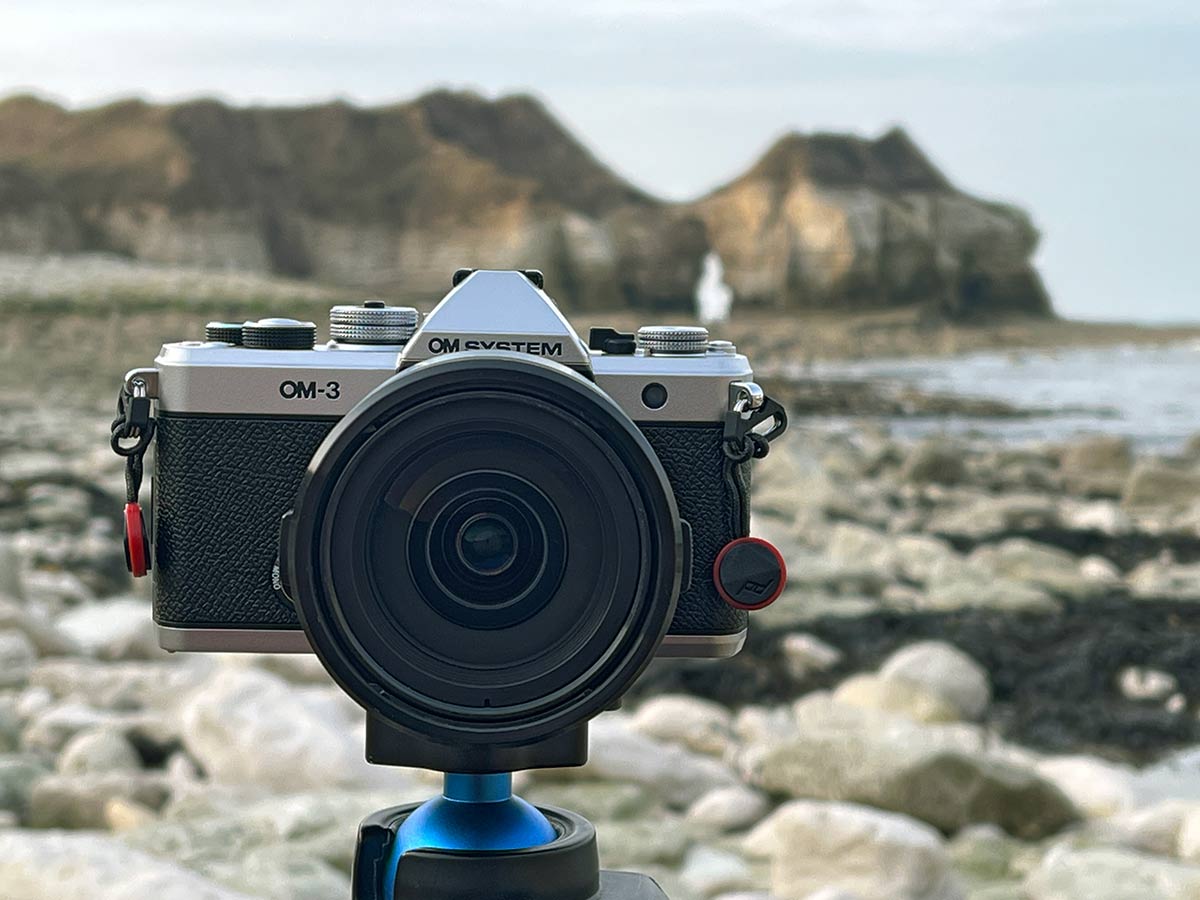
It is not perfect, form did not follow function and in the pursuit of classic design the top right plate is too cramped. Imagine if the front dial had come forwards just 3mm? The rear dial could have moved over giving more space for the two buttons.
Front finger grip? Perhaps, it is not so bad for me.
A rear Joystick would have been awsome, I do miss that. And I would have liked the video/picture dial to have more functions with the video/picture selector being a lever under it.
We can all be retrospective engineers, however I hope you enjoy using your OM3 as much as I am, with all the good points and the criticisms. It is a joy to use.