

SHOOTING TECHNIQUE
Shooting the sets of images needed.
The camera technique for shooting the images is actually quite straight forward once you have decided on the subject, composition and lighting.
IMAGE SETS
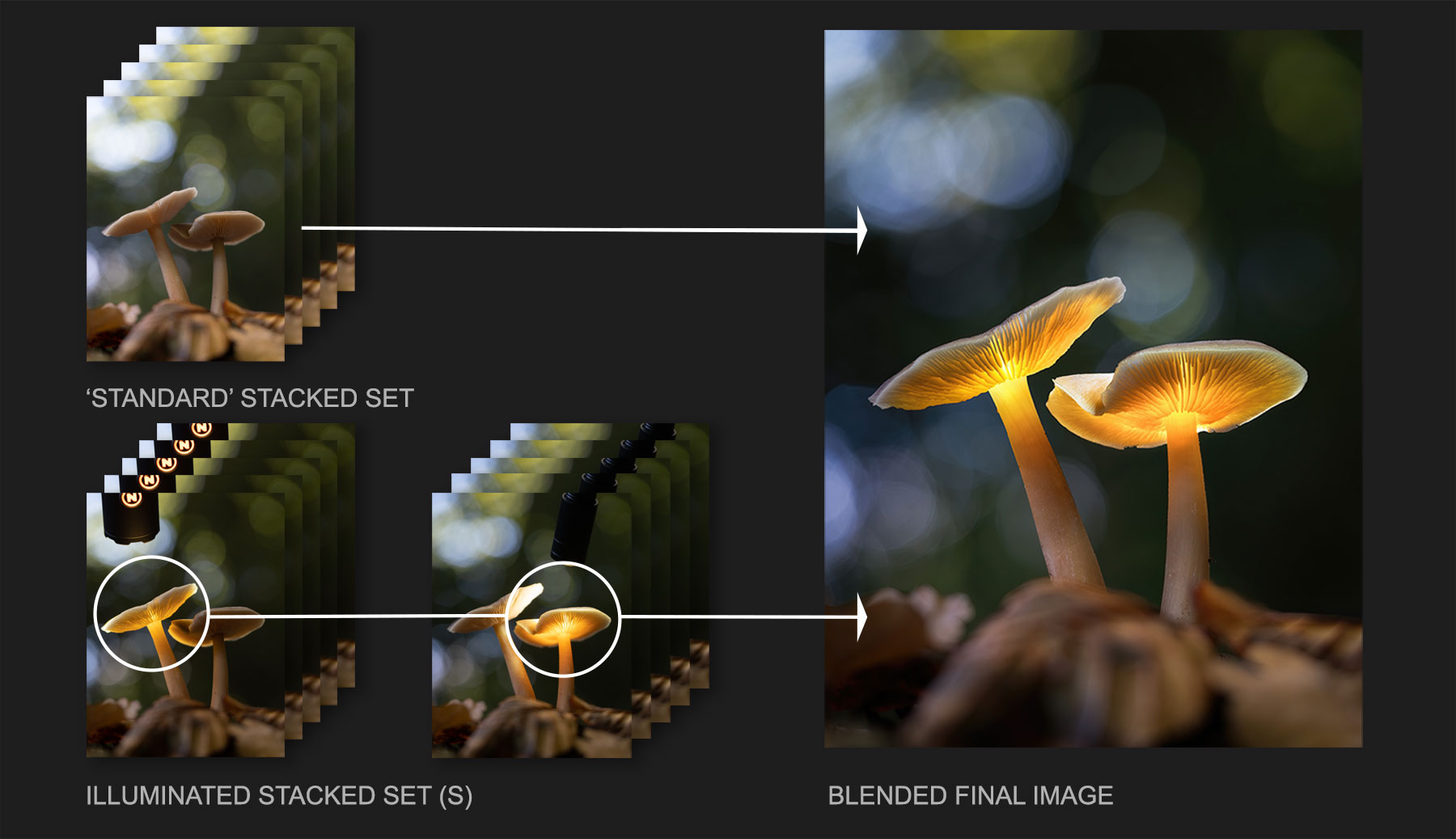
The diagram shows a typical shooting workflow. The sets of images needed will depend on your subject and the number of images you need illuminated. First one set of images are needed that will be Focus Bracketed, or a Standard set. This is the main image and the one that the illuminated set(s) of images will be merged into. Then a set of illuminated images will be needed, and there may be one, two or even three sets.
There are two techniques for shooting the illuminated images, either as a set of focus bracketed images, or as one image with a narrower aperture for greater depth of field and there are pros and cons to each.
STANDARD NON ILLUMINATED
Taken in Raw and Focus Bracketed at f2.8
Number of frames depends on depth front to back of subject, and distance to subject.
Taken wide open at f2.8 for foreground blur and background bokeh.
ILLUMINATED SET
Taken in Raw and Focus Bracketed at f2.8
Number of frames the same as the first set and under-exposed slightly.
PRO: Very little disturbance to the camera. Number of sets will depend on how many you want to illuminate and equipment you have.
CON: Number of images can build up quickly and more stacking required.
ONE SHOT ILLUMINATED
Taken in Raw as one shot with narrow aperture.
One frame with greater depth of field. Aperture depends on sensor, perhaps f9-f14.
PRO: Only one shot, less images to deal with and helpful when illuminating one scene multiple times.
CON: More risk of disturbing the camera and more work aligning images.
STANDARD NON ILLUMINATED
The first set of images are you main set, taken in Raw and at f2.8 and Focus Stacked with your Macro lens. These form the basis for your image.
ILLUMINATED SET
The second set of images are your illuminated images used to blend into the first set. How many sets will depend on your scene and subject and it will dictate how you decide to shoot them. For instance if your image is one shroom and you are illuminating it just once, shooting this set of images with the same settings means you are not disturbing the camera, and there is a far better chance of them aligning successfully and blending. You will need to under-expose a little, but you’re not going into menus and altering the focus bracketing settings. If you have two shrooms illuminated you may use two light sources at once to cut down on the work, or just accept additional sets are needed, illuminate each one one at a time and shoot the sets. It does mean more images to deal with but it is usually more successful.
ONE SHOT ILLUMINATED
Another approach is to shoot the illuminated image as one with a smaller aperture for great depth of field. Your camera sensor, distance to the subject and size of the subject will dictate the aperture needed, it may be in the region of f9 or above. This can be easier, especially if you have to illuminate a few shrooms individually, although there are risks. There is more chance of disturbing the camera because you’re altering focus bracketing settings and aperture, and the size of the subject will be different. As focus points move and depth changes, so too does the size of the subject, it may be small but it can lead to alignment issues, ghost edges and more work. I show how to deal with this in the processing tutorial.
What you absolutely shouldn’t do is try to shortcut the number of images with one high depth of field image for the subject at a narrow aperture, another for the illumination, and one for the background taken wide open for background bokeh. It’s more trouble trying to align and blend than it is worth.
BASIC STEPS
| 1 | Set camera to Manual Mode. St Aperture and Shutter |
|---|---|
| 2 | Set Focus to Manual with Peaking enabled |
| 3 | Refine your composition |
| 4 | Set Focus Bracketing (test number of shots needed) |
| 5 | Take 1st set of non-illuminated shots. Review and check |
| 6 | Take sets of illuminated shots as required |
FOCUS BRACKETING
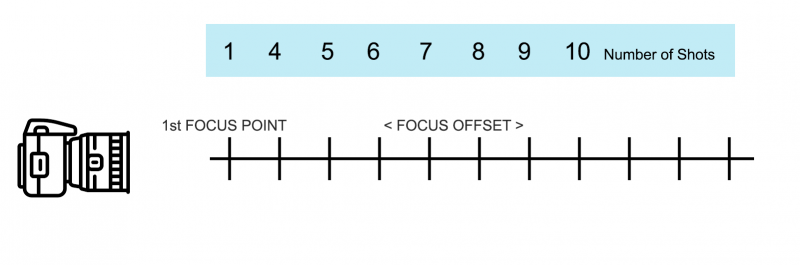
Obviously you need a camera that has a focus bracketing feature. Once a few parameters are set the camera will automatically move the focus point by a set number of steps to give good depth of field as needed, and still keep the background and foreground out of focus as we want. This is possibly the hardest part of the shooting process because there are no pre-determined number of shots or focus offsets (the number of steps between) we can use, and it will be different for different lenses too. You will gain more knowledge through experience, and you can set up a simple test shot at home using any small object to get a feel for the process and number of images.
Focus Offset or Steps, (it may be called something different in your camera) determines how much the focus shifts between shots, and the number of images determines how much depth you have in the image. The number depends mainly on the size of the subject, and distance to it. Experimentation here is important, and remember that having too many images is fine, you can delete unwanted images, what you have to avoid is having too few. I would start off with a Step setting of 1 or 2, and then determine how many images are needed, it may be 10, 20 or even 30 images.
You’ll need to review them and zoom in to preview, checking sharpness and that you’ve covered the subject from front to back, which means disturbing the camera. be careful but don’t worry too much at this stage, these are the test shots to determine step size and how many are needed. Once you’ve identified how many are needed you can reshoot them, knowing you will not disturb the camera.
COMPOSITION
Composition is key so work on it until you find a composition you are happy with. These two shrooms were growing on a dead tree trunk covered in dead ivy which I had to clear away, but I was not happy with the bottom of the image. Using a little soil around the bottom meant I could gently nudge them a little closer together and hide a piece of rotting wood. I also place a few leaves in the foreground to soften it for the final image.
What I am really looking for is interesting bokeh in the background. A few highlights will give really wonderful results so experiment with the position of the camera, move around with it hand held to start off until you determine the best angle. Once you have, tripod mount the camera and lock it all down as solid as possible.
I prefer to shoot the images when the sun is a little lower in the sky rather than mid day when it is higher so that I can get better highlights in the background. A flat grey day can also work if you can get some bokeh in the background, and of course you don’t always need highlights, a soft subtle background can work too.
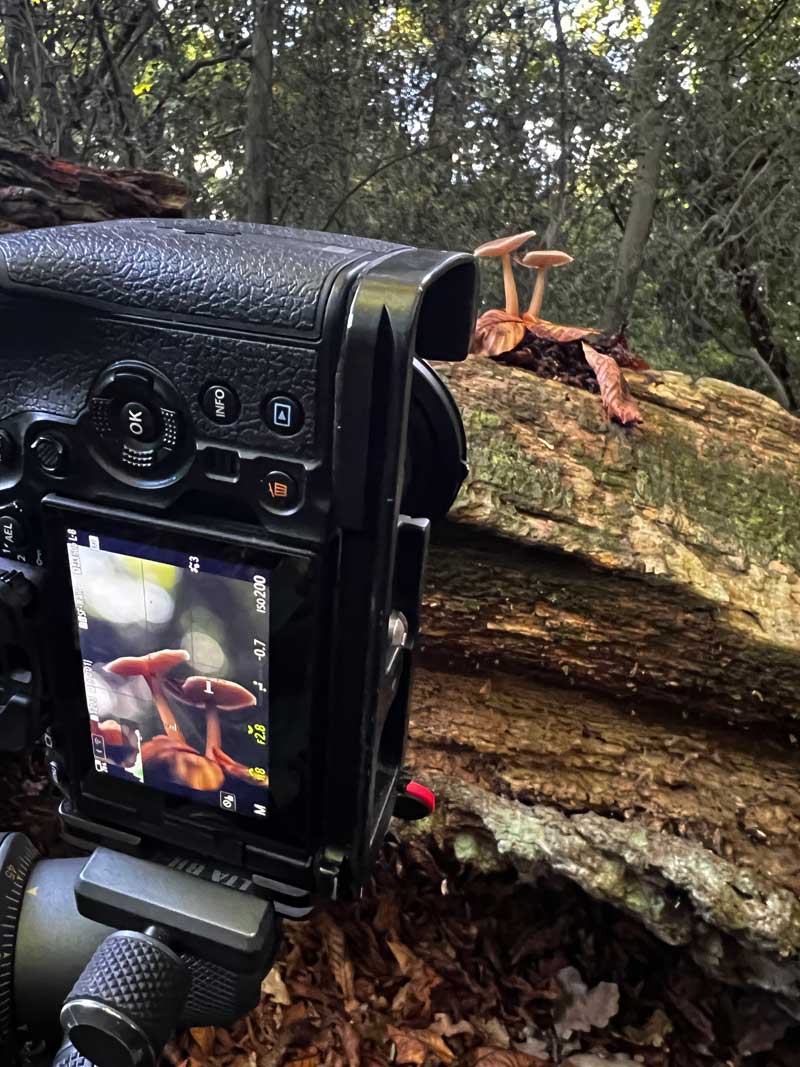
The background here doesn’t look too impressive until you understand what a few points of light can look like through the lens wide open.
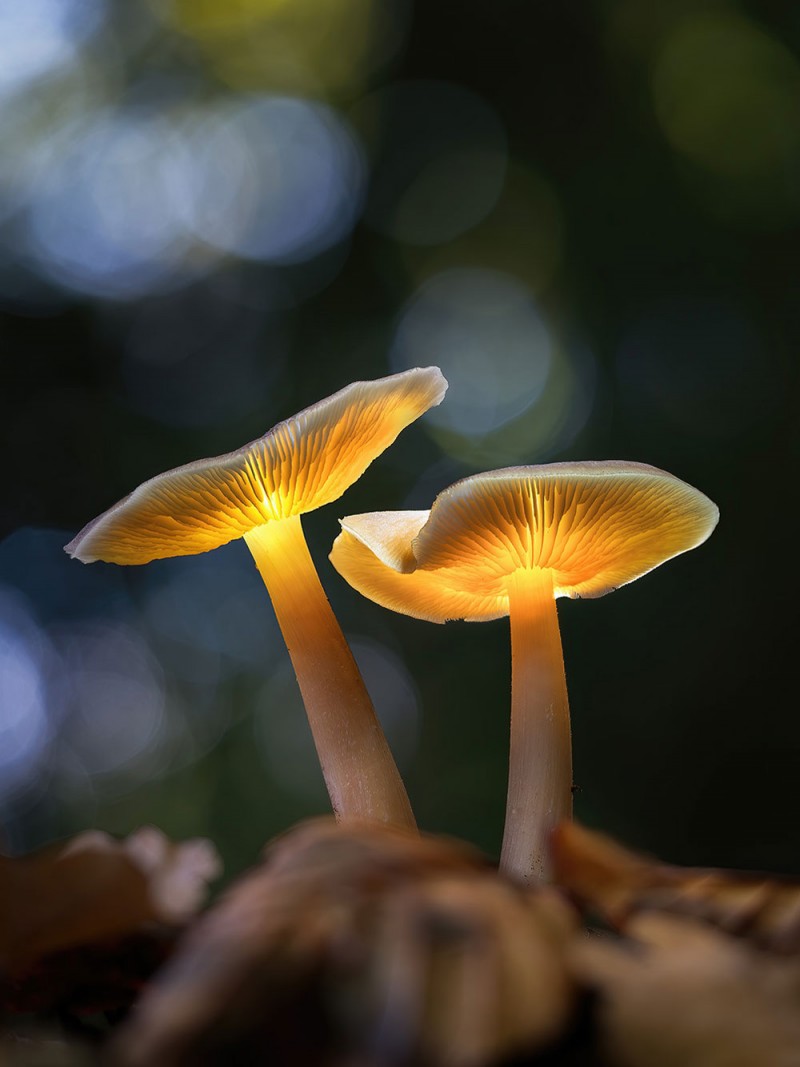
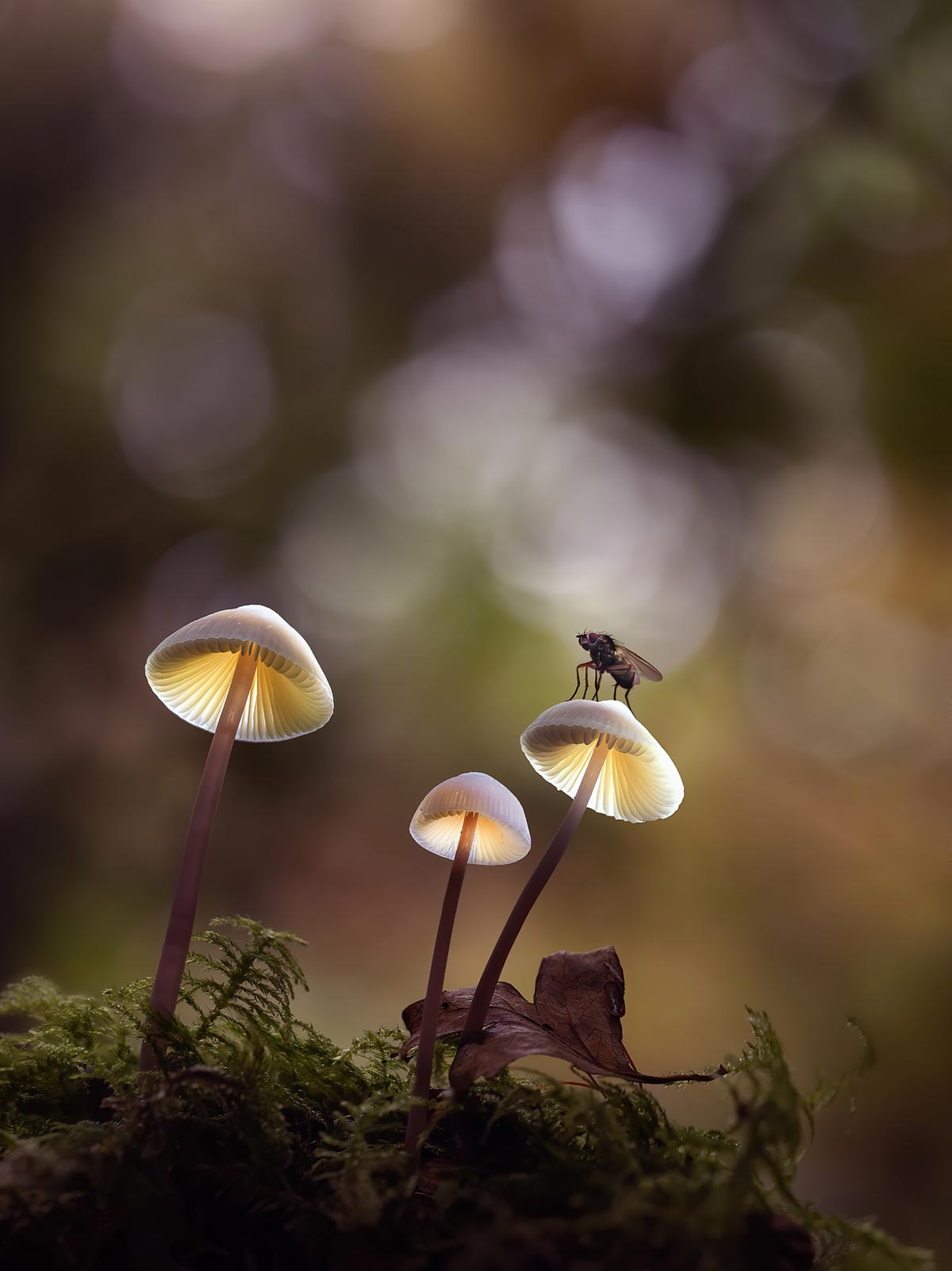
The final image.
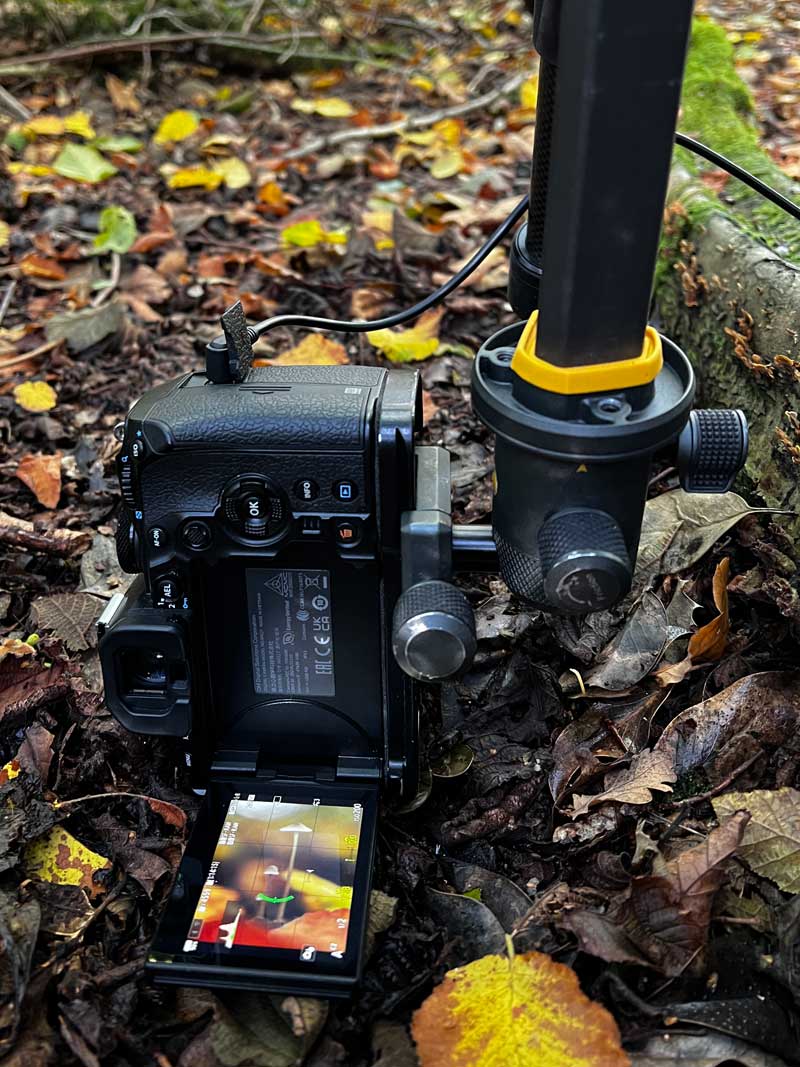
Inverted tripod centre column.
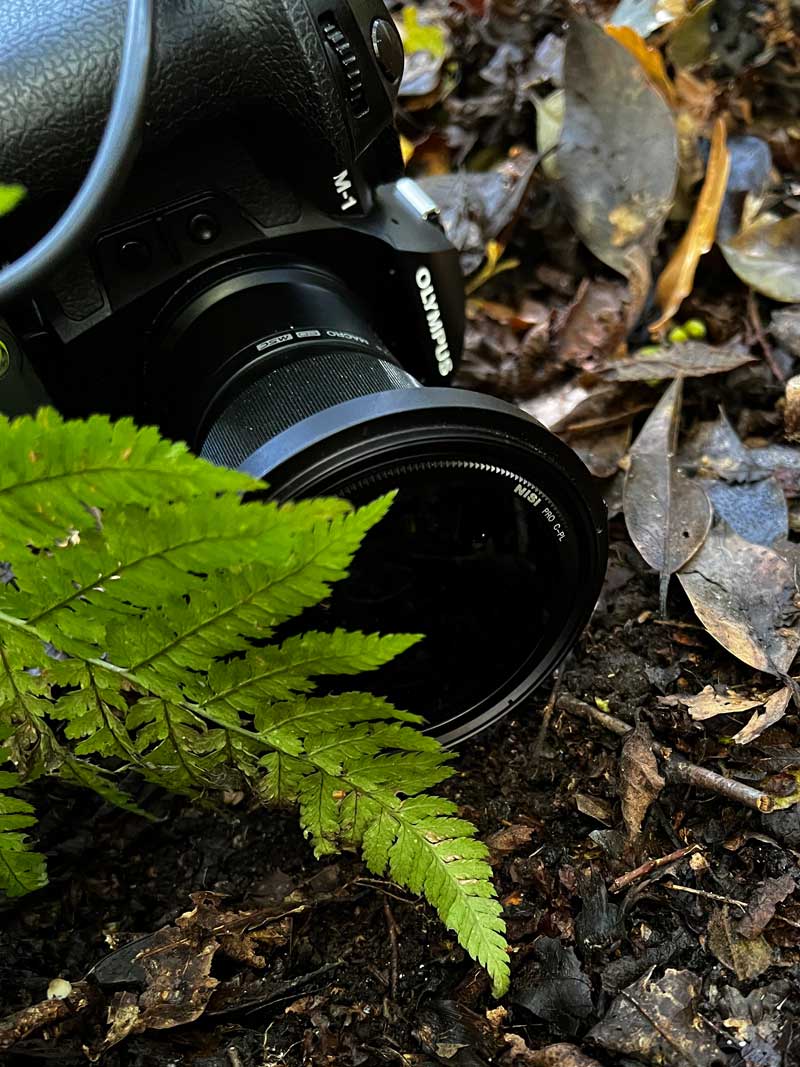
Using a fern leaf to soften foreground.
USE A TRIPOD
Make sure the camera is stable with a tripod (see the ‘Gear’ Section. If not you will struggle to get anything to align properly. For this image I inverted the tripod column so it was actually on the forest floor but it was solid.
A way to soften parts of an image is to hand hold a fern leaf in front of the lens, experimenting with the position can really soften parts of the frame, or add a bit of a silhouette to a background.
VIEWING THE SCREEN
It can be tricky viewing the screen at such low angles, most times I manage to get a composition that will allow me to angle the screen so I can at least see it without being on my belly. In this case the tripod blocked my screen and there was little I could do about it. Many cameras have phone apps that will share the screen (Olympus has I.O. Share) but not all will. If your camera has a video out port as most do these days a simple solution is to use a video card, an HDMI cable and an Android mobile phone.
The Video card I use is a cheap and compact in-line card I found on Amazon for around £20. It’s small and basic but does all I need. Check the ports on your camera and get the right cable, it will be male HDMI one end but different on the camera end. I also had a USB to USB-C adapter to connect to the phone. You’ll also need an app on the phone called ‘USB Camera Pro’. The mobile screen view is viewing only, you cannot change any settings, but it is still very useful to compose you image, especially when at a low angle, and when trying to arrange your lights. If you illuminate the shrooms and can’t see the screen you’re in trouble. Using your mobile as a screen means you can set lights up on a Gorillapod with clamps and view how it looks.
A few notes, The big down side is it only works with Android. Apple block video-in signals to iPhones and there is absolutely no way around it. I use an iPhone so I bought a second hand Android mobile phone just for this.
Additionally some camera functions may be disabled. Using my Olympus OM-1 Focus Bracketing is disabled as it is using IO Share also, but it is much faster just to plug/unplug the phone than connecting/reconnecting IO Share. On my Nikon Z7 Focus Shift still works. It is worth looking into especially if you have an Android mobile or you get get one reasonably cheaply.
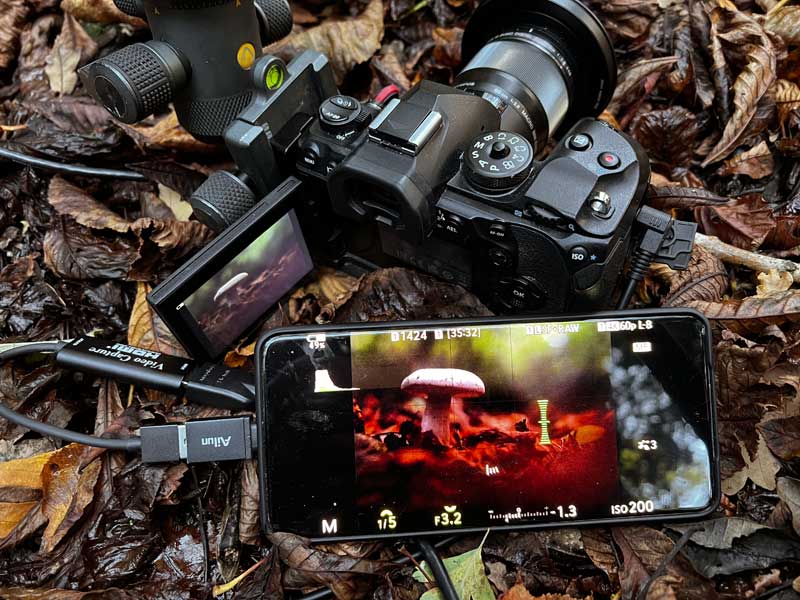
Using a phone as an external screen (ignore settings)
SHOOT IN MANUAL MODE
It is best to set the camera to Manual. You can use Aperture Priority equally well and with many cameras using Exposure Compensation is easy to do just by turning one of the control wheels. Some cameras require an Exposure Compensation button to be pressed first, and the less you need to adjust the better, there is a danger the more you have to press the more chance there is of disturbing the camera. There is also the possibility of light changing and affecting the exposures.
For the first set of images don’t under-expose. I often darken the final image for more atmosphere but it is always better to start with a good exposure and dark it to suit rather than a dark image and then have to brighten areas which generates more noise. Do be careful with highlights especially in the background. If they seem to bright and in danger of blowing you can always take one extra shot with Focus Bracketing off to blend the areas you need in later.
APERTURE AND SHUTTER SPEED
Shoot at f2.8 and make sure the exposure meter is correct by altering the shutter speed. Be aware of the shutter speed too, you do not want a shutter speed that is too slow, for one shooting the sets of images at 1 second shutter speed is going to take 20,30 seconds to complete the set depending how many frames there are, and secondly there’s a high risk of movement with some of the smaller shrooms which can move in just a slight breeze. This is one reason why it’s better to shoot in daylight and then edit the images darker to look like twilight. There isn’t a correct shutter speed, just be aware of consequences if it starts getting slow.
Be aware of wind, if it is a windy day you’re unlikely to be able to shoot small shrooms unless they are very sheltered. Shutter speed will depend on the subject size, weather conditions etc, and you can always compensate by using a higher ISO, being aware it means more noise. I would start thinking about increasing ISO if my shutter speed gets lower than 1/25th. It doesn’t mean you must use shutter speeds in the hundredths of seconds though.
And remember bugs, many times I’ve been photobombed by a bug and have been lucky enough to have one or two of the frames with the bug sharp enough to include in the image because my shutter speed was reasonable.
MANUAL FOCUS
Focus on the closest point of the subject to you, whichever point that may be. It will be the closest part of the shroom cap. Your camera will have Focus Peaking (pixels along high contrast edges are highlighted when in focus) which is invaluable when manually focusing, make sure it is set in the menu and select the best colour for you if there is an option (blue, yellow and red are the most common but I prefer white). I normally auto focus for most of my work, so I will auto-focus on the edge just to quickly set it, then switch to manual focus to check it and fine tune. Many cameras have a ‘magnification’ function when manual focusing so make sure it is enabled.
Your Macro lens may have a focus limiter switch. If it does they are useful to use for limiting the range the lens will focus usually for a small distance for macro, or up to infinity. Macro lenses can ‘hunt’ in auto-focus when it cannot find the area to focus on so it hunts over the full range. Limit it first to stop this if you auto focus to start off.
If light is low as it invariably is use your torch on a low power to illuminate the shrooms to focus.
TEST SHOTS
Take your test shots. Set Focus Bracketing on, set the differential or the steps between each shot, and set the number of shots. As I said there is no fixed number so you will be guessing. A small shroom 1cm diameter you may need 10-20 shots at a step of 1 depending how close you are, a larger shroom you may need more shots, or a larger shroom you may be able to increase the step to 2.
Take a test set, review and see if you have enough images to cover the depth of focus from front to back.
Remember to use a cable release. A wireless one can be handy, or just use a simple wired one. Just don’t use the shutter button.
SEPARATE SETS OF IMAGES
You will end up with quite a few images so it’s useful to separate the different sets. Just use your hand in front of the lens to act as a ‘marker’, then when you import all the images you can identify sets of images.
Turn off Focus Bracketing, but remember again you are handing the camera and you risk disturbing it. Sometimes it’s fine when access to the controls is easy, other times when I really do not want to risk disturbing the camera when I am shooting what I hope are my ‘keepers’ I’ll use my hand as a ‘marker’ and not bother to switch off Focus Bracketing. Wasted shots, but they easy to delete on the pc.
SHOOT THE ‘KEEPERS’
You’ve set everything up, composed the image, focussed it, taken test shots to identify how my frames you need and the steps between them and you have everything locked down. Now do it again after changing the number of frames if needed. You have been making quite a few changes to the Focus Bracketing and may have disturbed the camera, so as a precaution double check your focus point and shoot the set again just to be sure.
ILLUMINATE AND REPEAT
Next, illuminate the shrooms and repeat the process. Check how the illumination looks on the camera screen, no easy feat sometimes. Vary the angle, distance and power until it looks evenly illuminated and try to avoid any blown out areas. Blown highlights on the top will not matter because it will be merged with the first shots. I find it works best to angle the torch away from the camera to avoid flare, and to make sure some of the front of the stem is illuminated.
You will want to be able to see the screen because now you will under-expose the image to take account of the brightness of the light. Alter the shutter speed to under-expose as much as needed. Using an external screen as shown above might help, as will using an additional tripod and clamps to hold the torch. Arms never seem to be quite long enough.
For this image and for the purpose of this guide I illuminated one shroom at a time. Multiple light sources makes it easier of course.
This set of images should align perfectly when it comes to processing because the only adjustment made was to the shutter speed and hopefully you were careful.
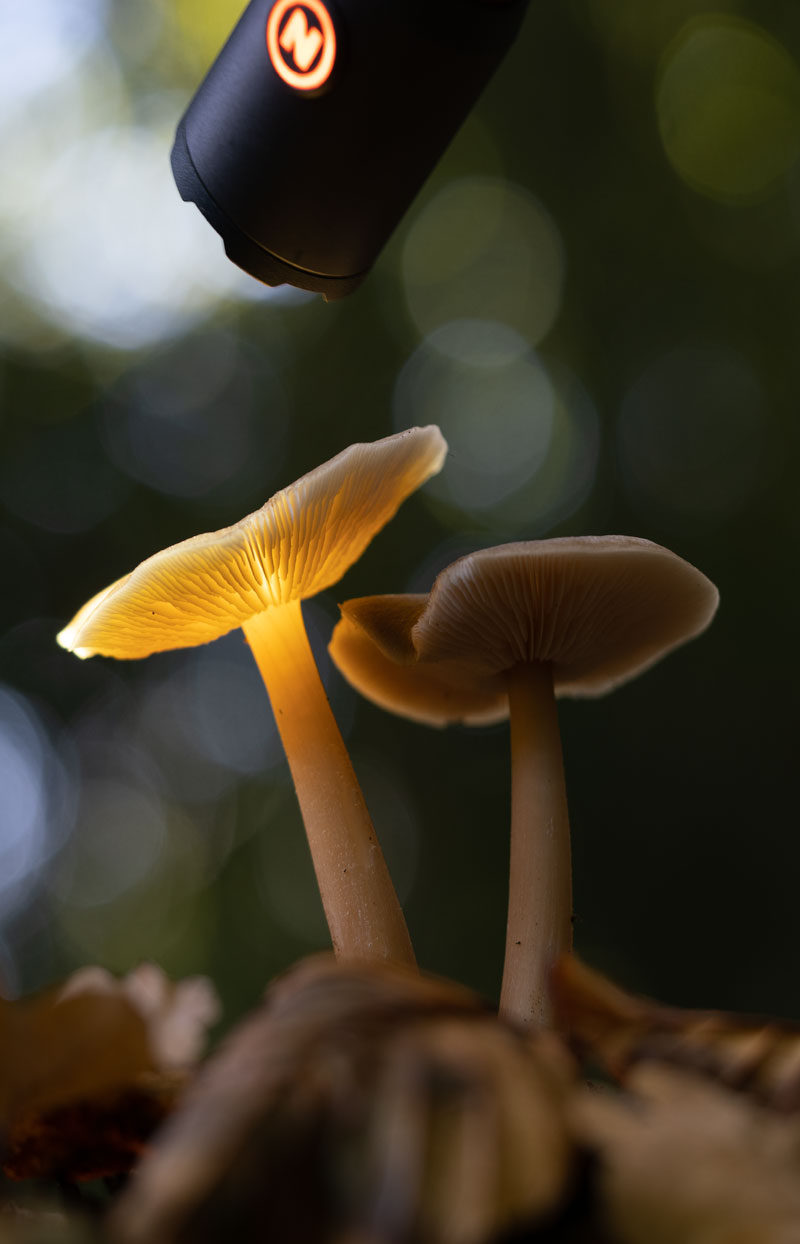
Illuminating the first shroom.
ILLUMINATE AND REPEAT…AGAIN
Do the same again for the next shroom. Illuminate it, and shoot another set of images.
I shot another set that were focus stacked so that I didn’t have to change any settings, only the shutter speed if some under exposure is needed. As I already under-exposed the first illuminated set I didn’t need to change anything, so I can just set the light and press the shutter.
There is another way that can be faster if you are going to need quite a few sets of images. I took another image with the aperture set to f9 which gave me just enough depth of field for this shroom front to back and used that for the processing. The advantage is less shots to deal with, the disadvantage is you are handing the camera more, risking moving it, and there will be more work aligning them.
As long as you are aware of what can happen it is another way to shoot the images, although I would recommend just shooting another focussed stacked set.
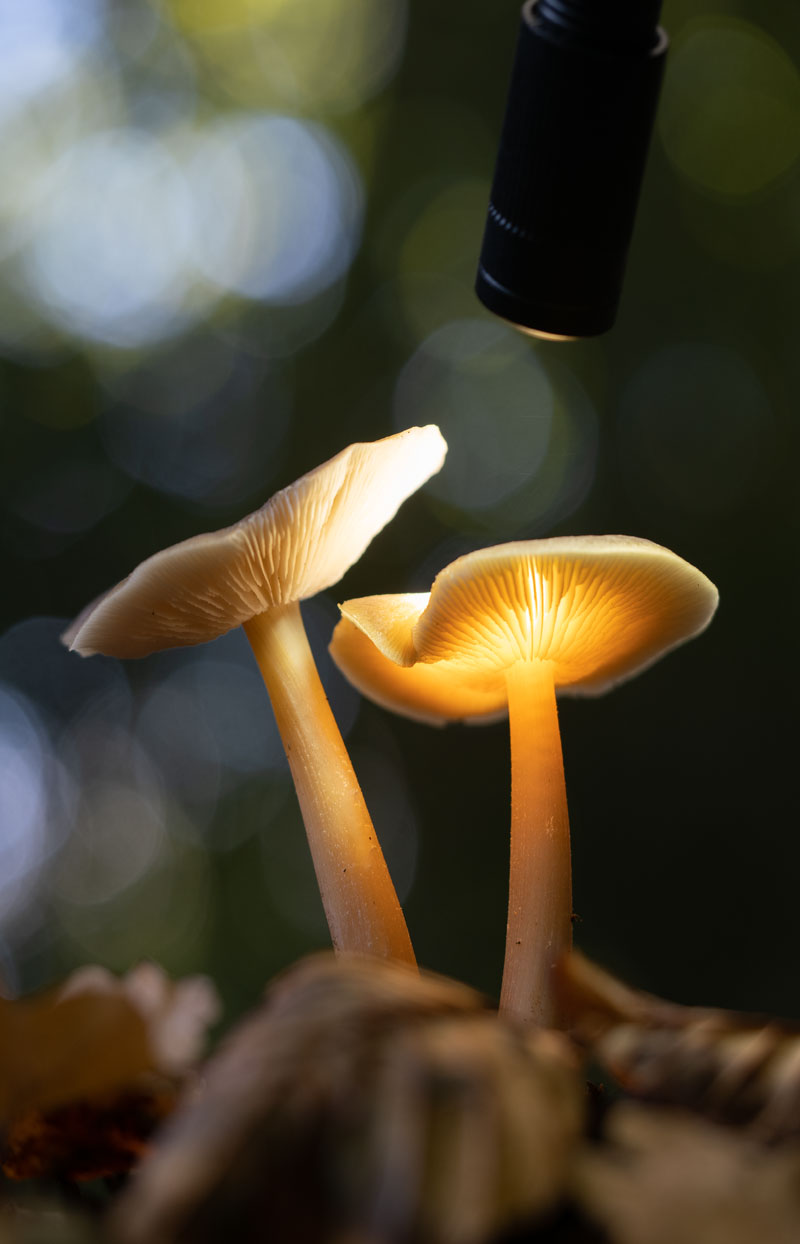
Illuminating the second shroom.
CONCLUSION
We have taken all the images needed, all Focus Bracketed. An illuminated set is also captured, again focus bracketed, and additional sets taken as required. You can try this step as one if you prefer. The next step is to process and merge them into a finished image.